The tools users rely on most
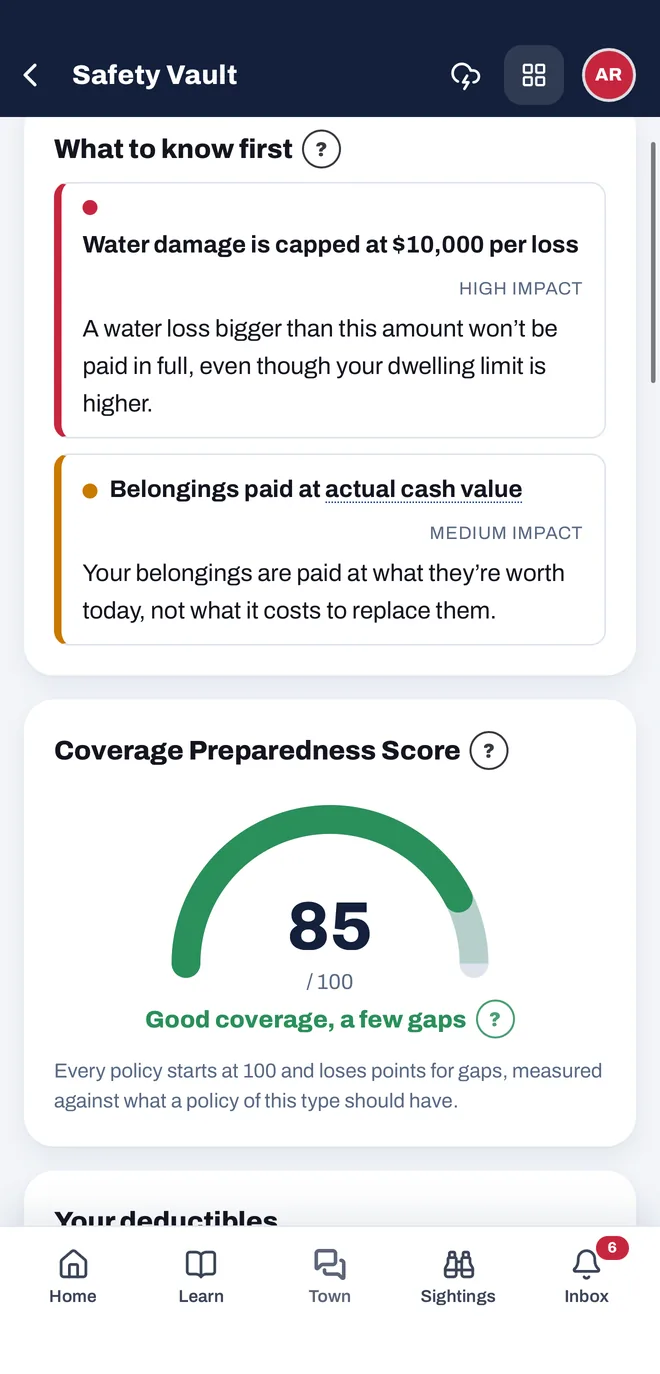
Your policy, scored and explained.
Add your declarations page and get a plain-language summary of your coverage, limits and deductibles, with the gaps worth knowing about before a storm. Every policy starts at 100 and loses points for each gap.
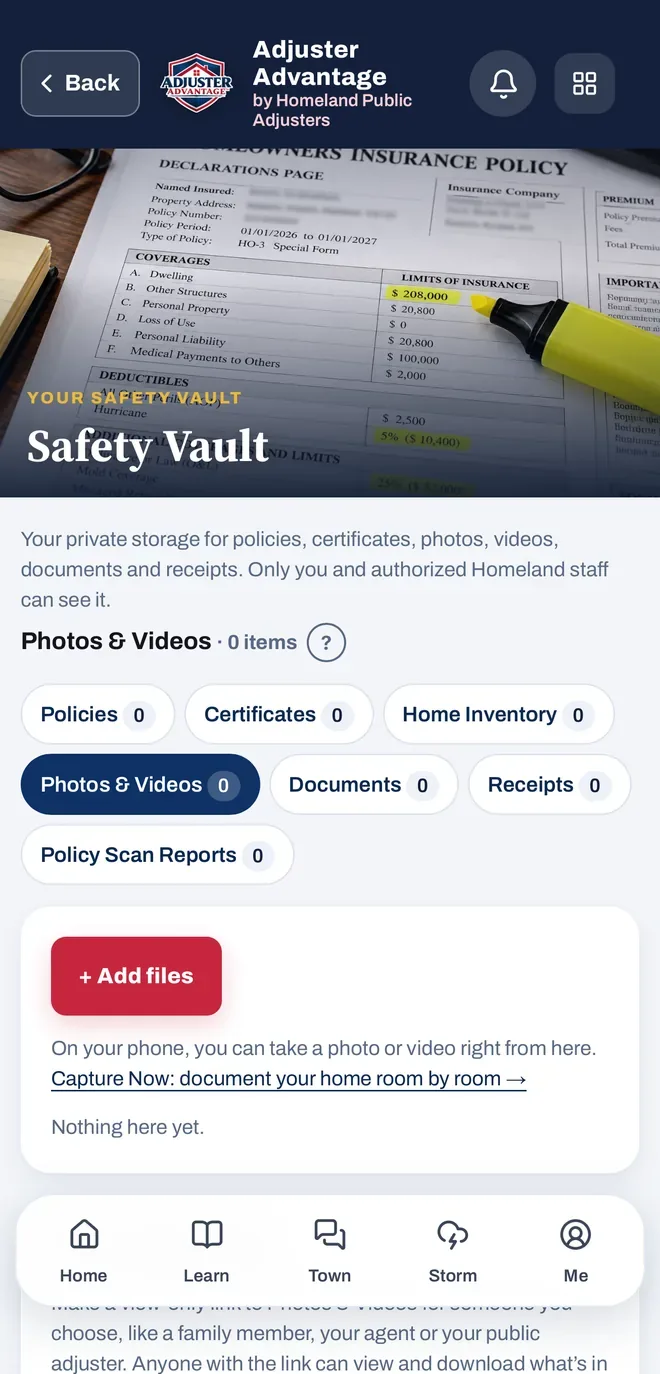
Proof of what you had, in one private place.
Policies, certificates, home inventory, photos and videos, documents, receipts and Policy Scan reports. Take a photo or video right from your phone. Only you and authorized Homeland staff can see it.
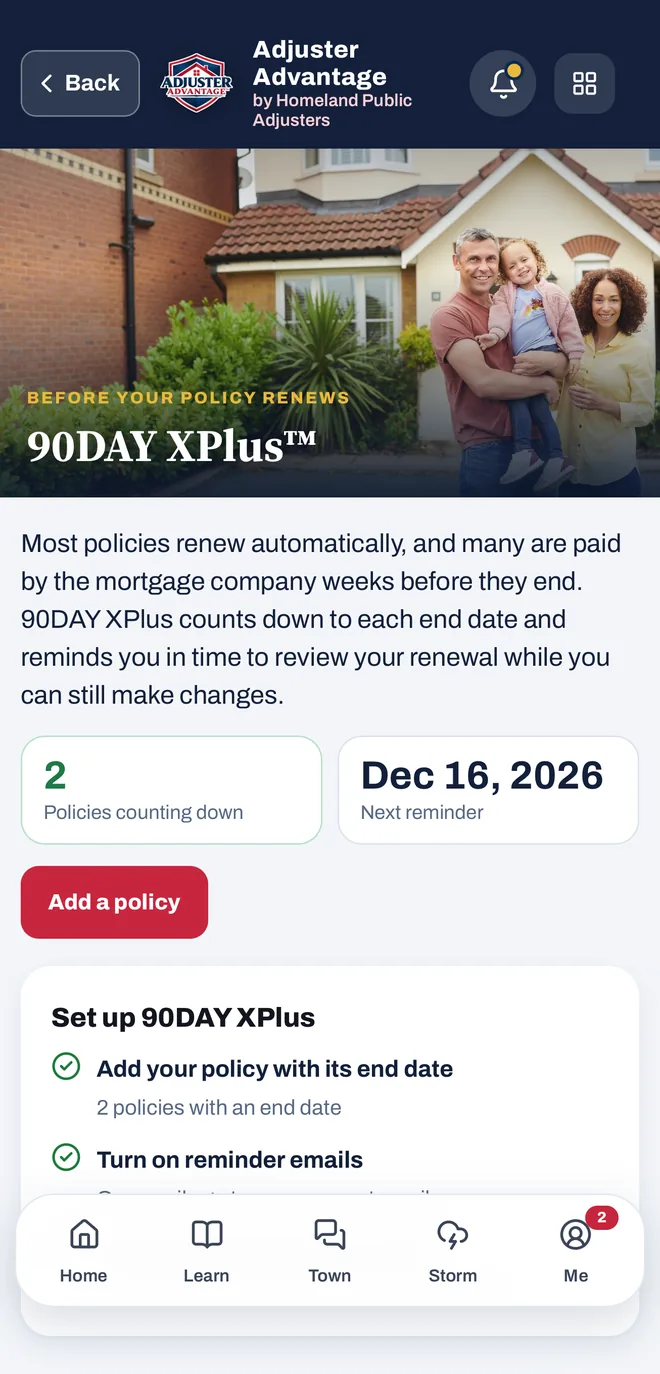
A renewal never sneaks up on you.
Add a policy with its end date and the countdown starts on its own. You get an email 90, 75, 60, 45, 30, 15, 7 and 1 days before it ends, while you can still make changes.
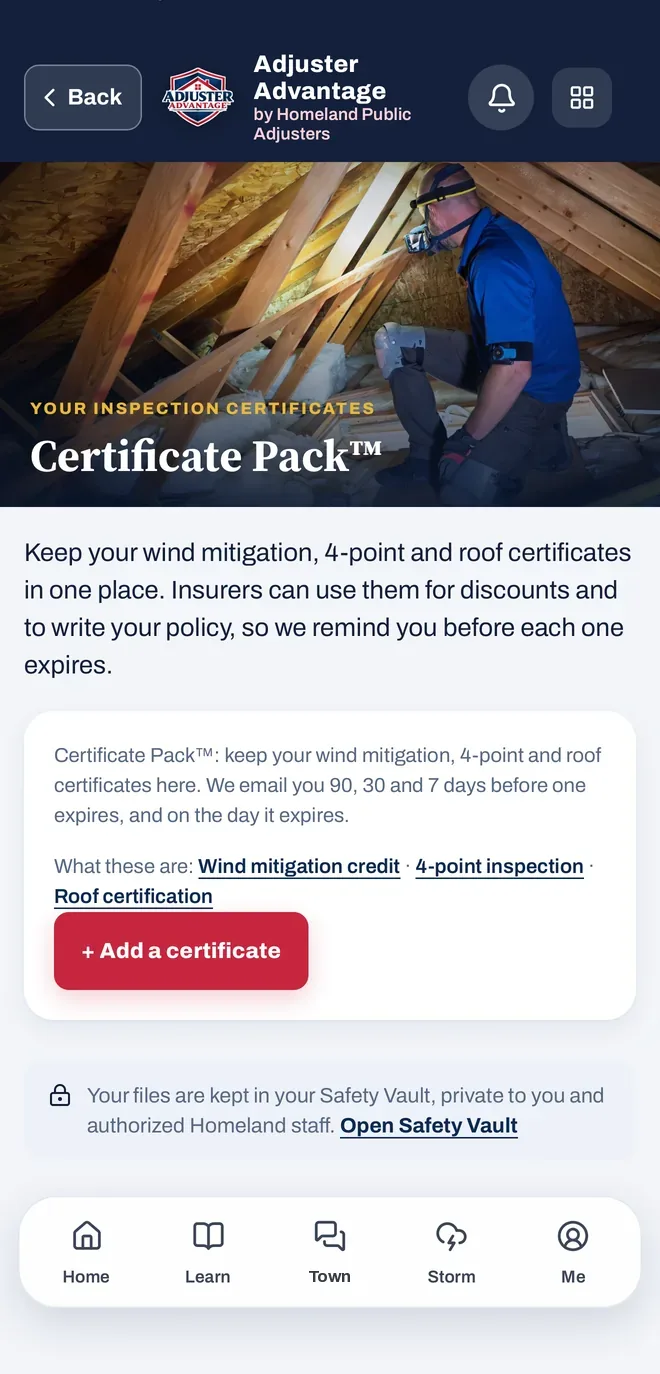
Keep your discounts from slipping.
Keep your wind mitigation, 4-point and roof certificates in one place. Insurers can use them for discounts and to write your policy, so the app emails you 90, 30 and 7 days before one expires, and on the day it expires.
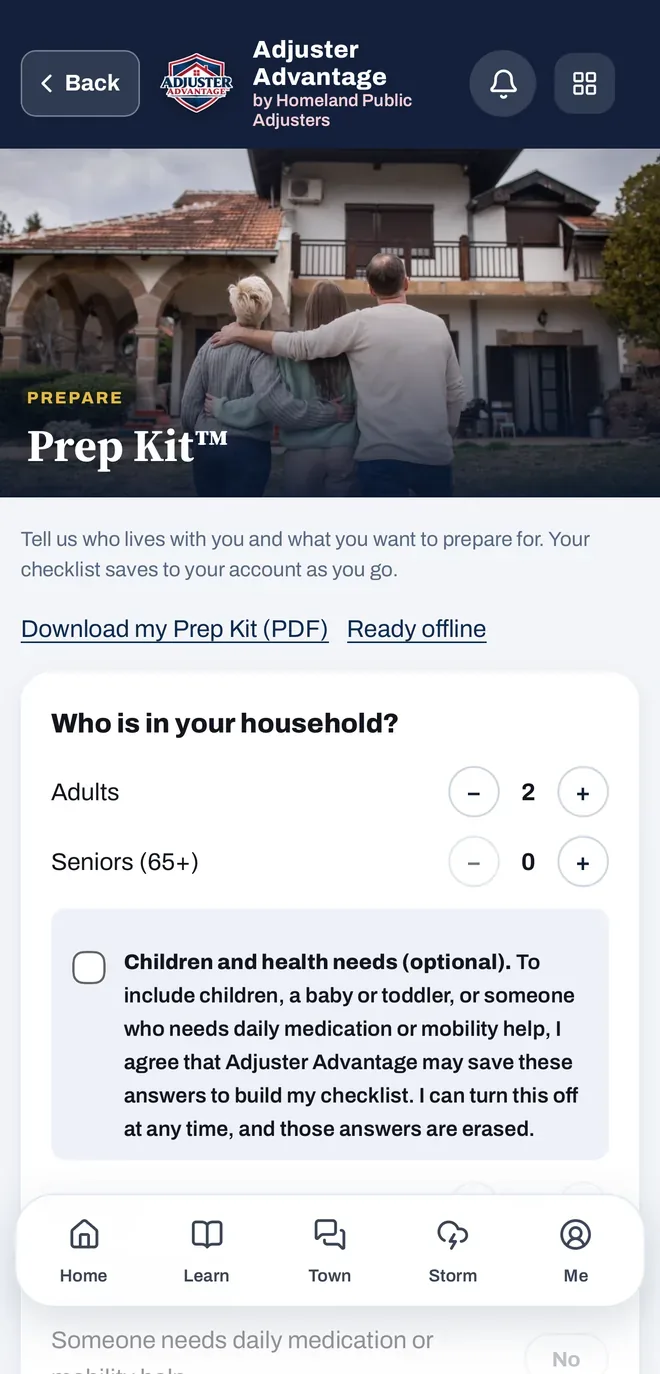
A storm checklist built for your household.
Tell the app who lives with you and what you want to prepare for. Your checklist saves to your account as you go, downloads as a PDF and works offline.
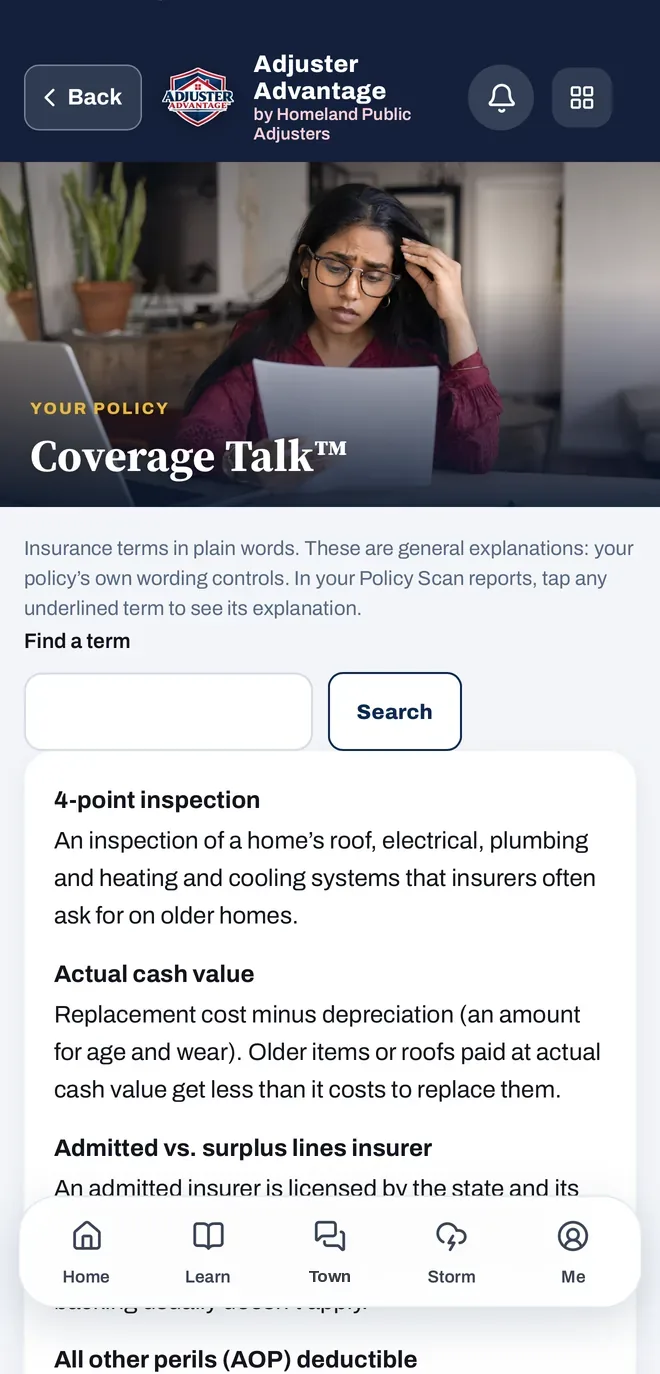
Insurance words in plain language.
Look up any term, from actual cash value to the all other perils deductible. In your Policy Scan reports, tap an underlined term to see its explanation. General explanations: your policy’s own wording controls.
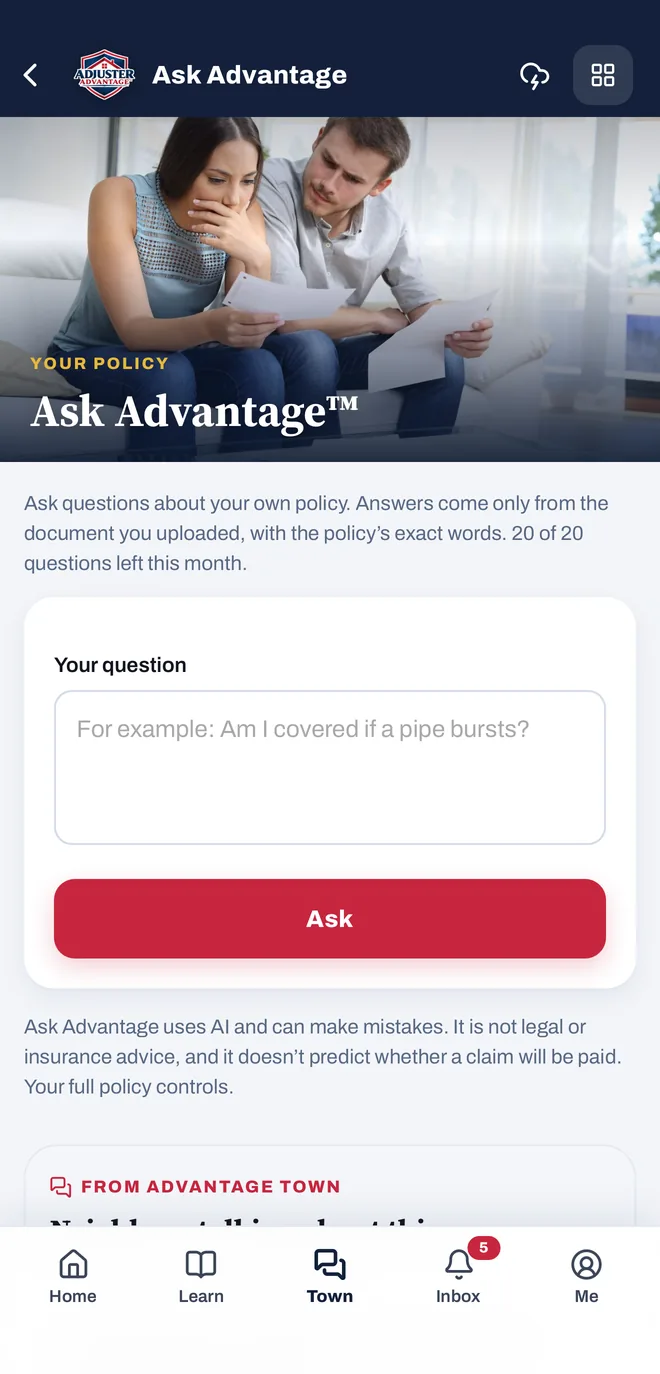
Questions about your own policy, answered from your policy.
Add your policy to your Safety Vault™ and ask about it in plain words. Answers come only from the document you uploaded, quoting the policy’s exact words. Ask Advantage uses AI and can make mistakes: it is not legal or insurance advice, and your full policy controls.
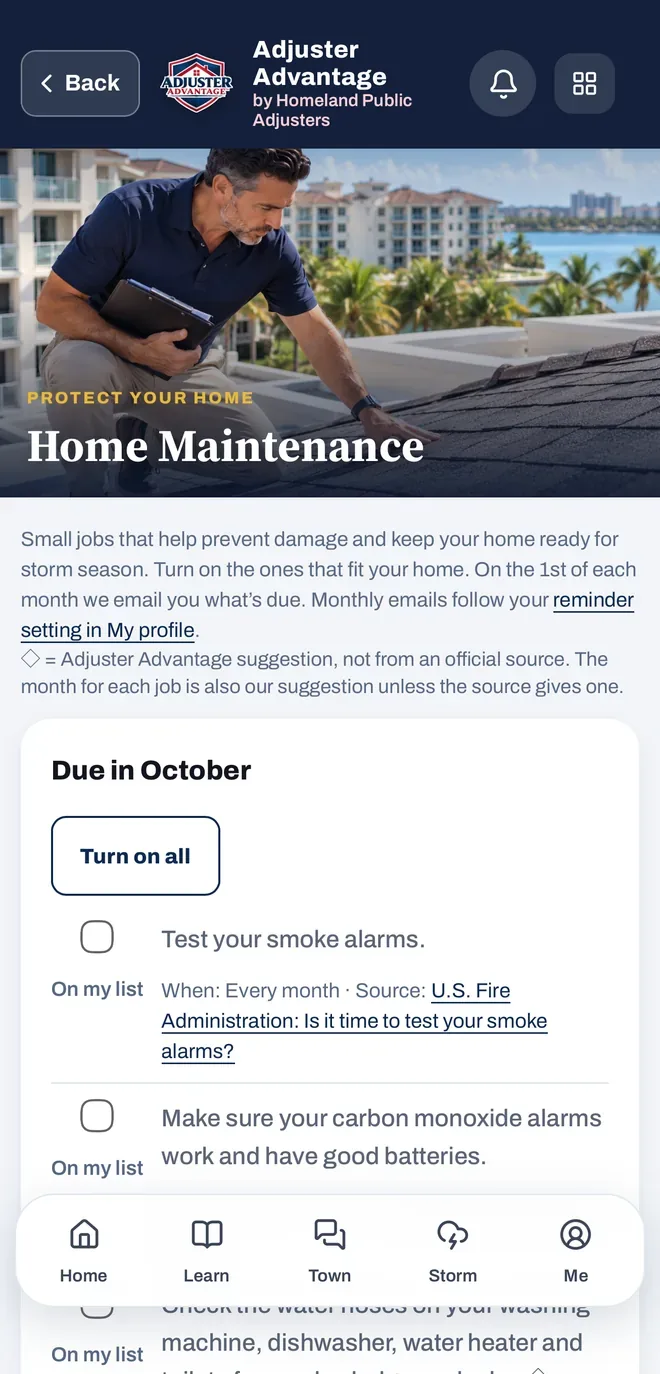
Small jobs that help prevent damage.
Turn on the jobs that fit your home, from testing smoke alarms to checking the water hoses on your appliances. On the 1st of each month the app emails you what’s due, and each job shows where the advice comes from.
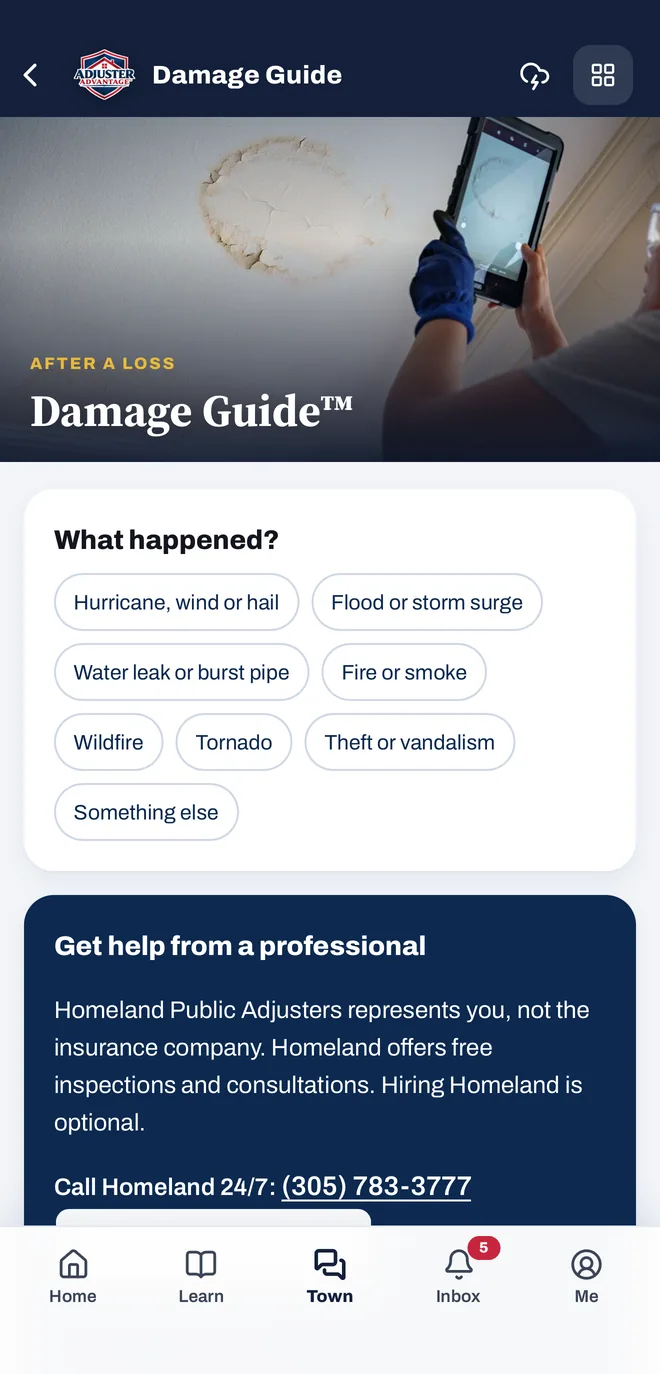
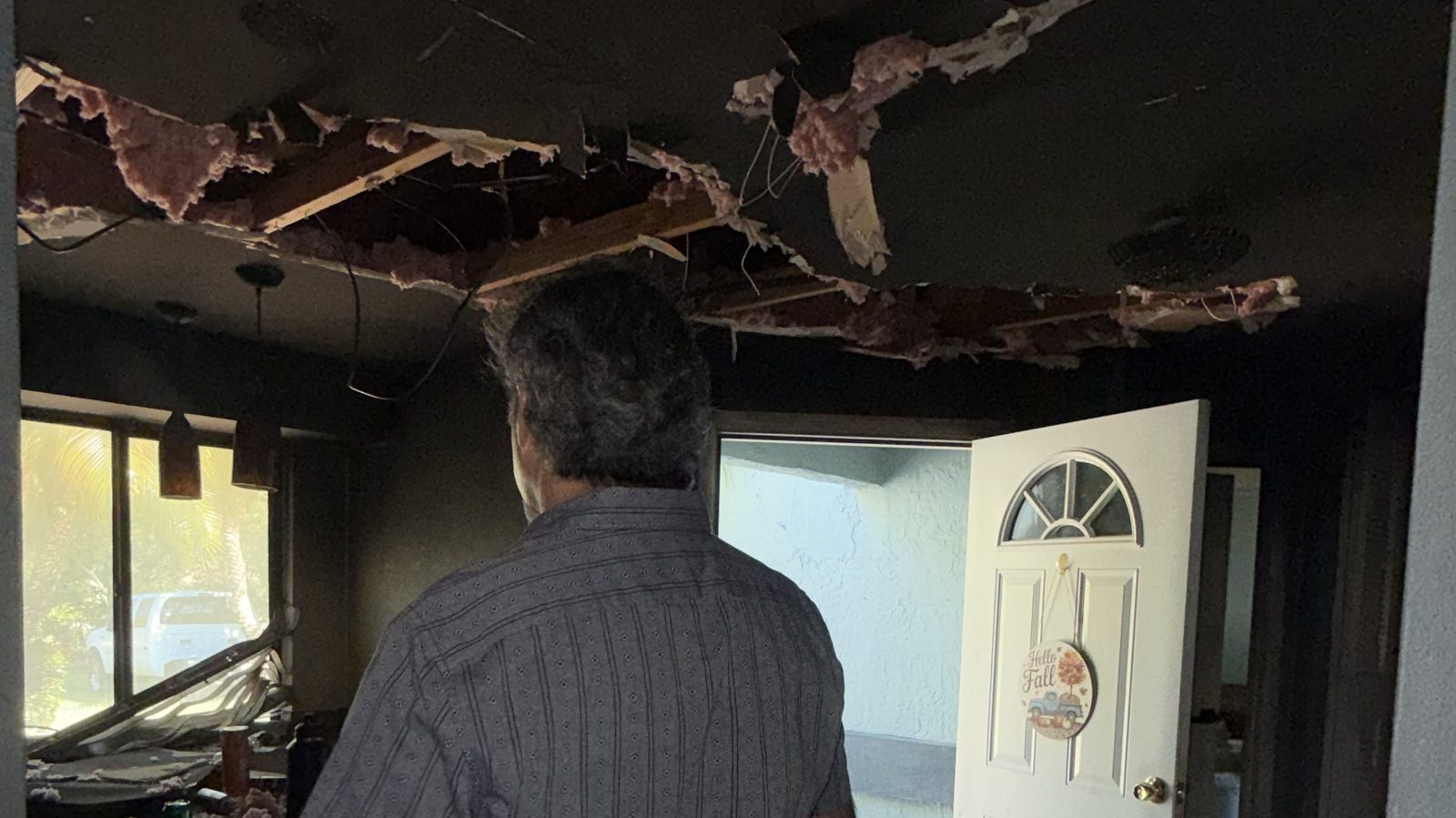
Had damage? Start here.
Pick what happened: hurricane, wind or hail, flood or storm surge, a leak or burst pipe, fire or smoke, wildfire, tornado, or theft or vandalism. The app walks you through what to do next. In Florida and New Jersey, one tap sends your request to your Homeland team, and they call you.
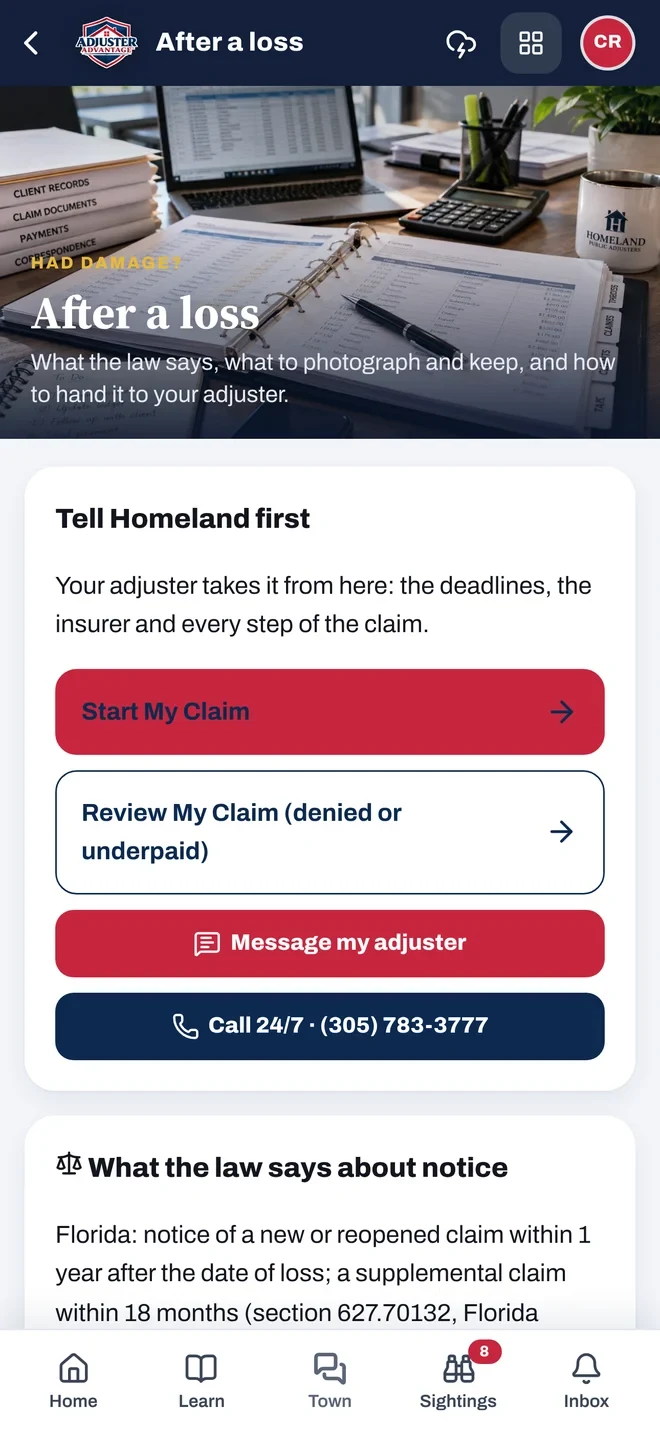
The first 72 hours after damage.
What to write down, photograph and keep, starting with the date of loss and what happened, next to your policy at a glance. Message your adjuster or call your Homeland team 24/7 from the same screen.
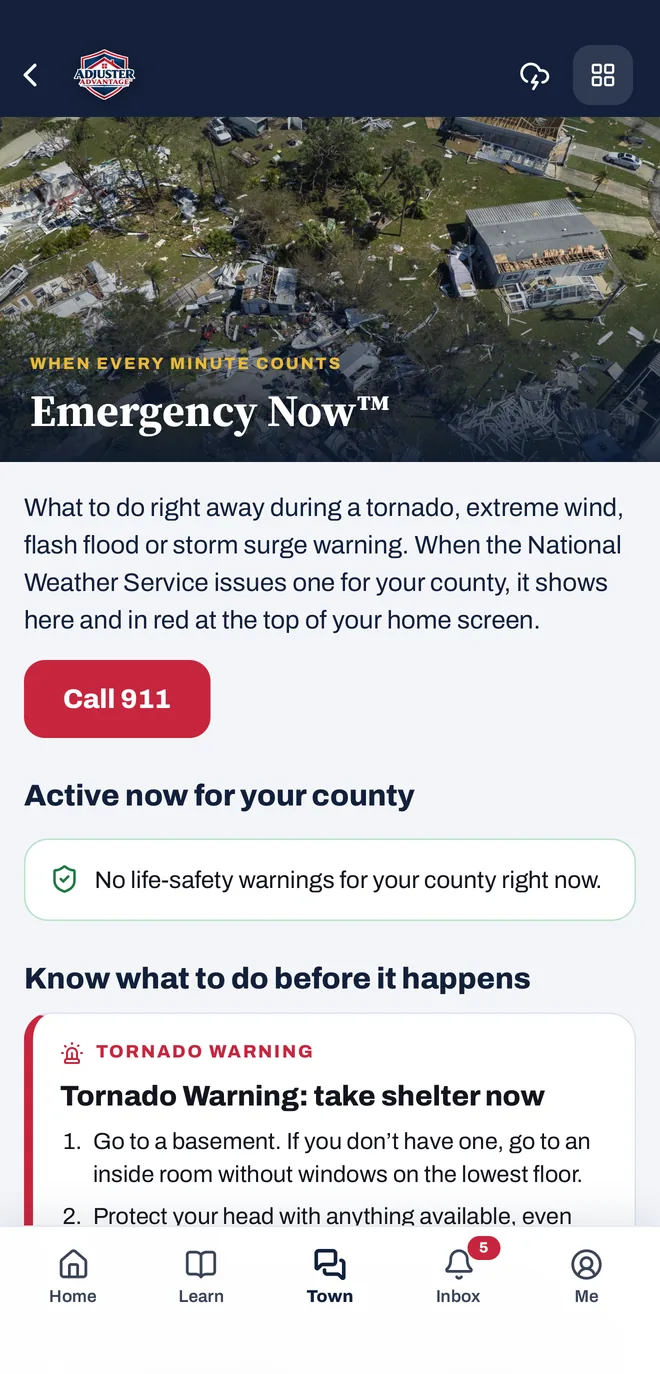
When every minute counts.
What to do right away during a tornado, extreme wind, flash flood or storm surge warning. When the National Weather Service issues one for your county, it shows in the app and in red at the top of your home screen.
Scroll to see the tools at work.
Real screens from the app. Keep scrolling and the phone changes with each tool.
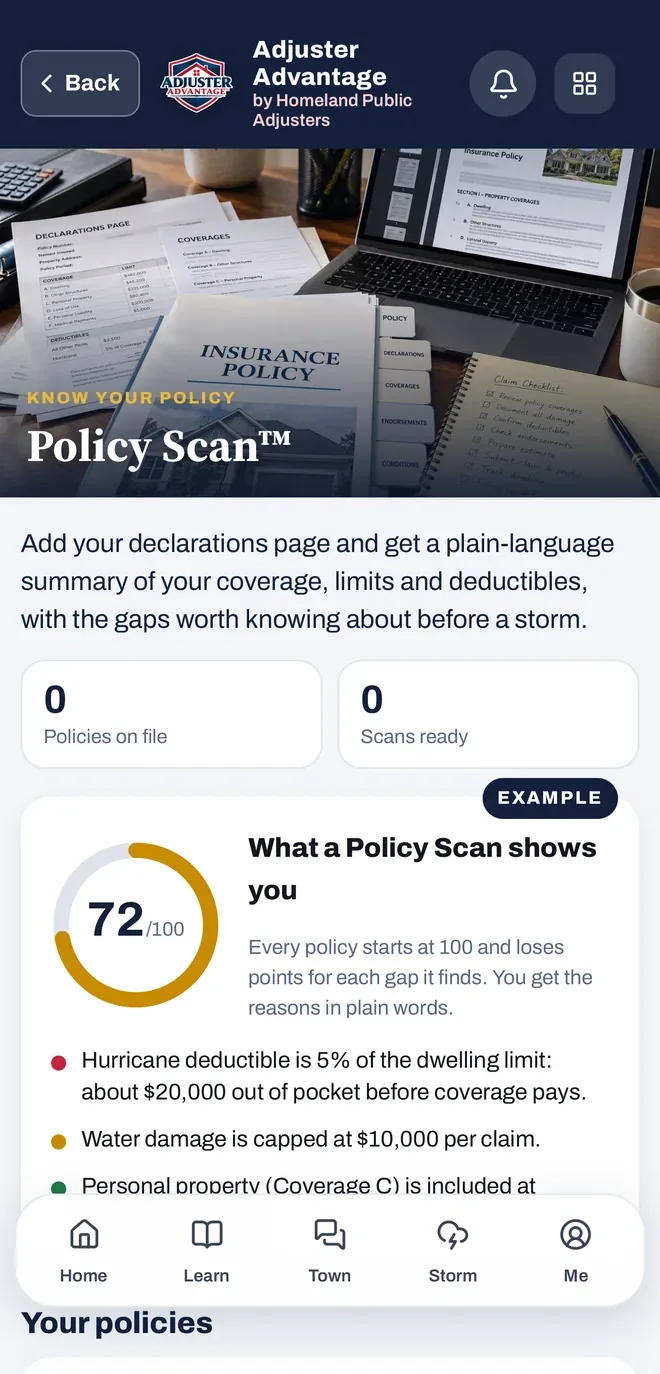
Your policy, scored.
Add your declarations page. Every policy starts at 100 and loses points for each gap Policy Scan finds, with deductibles shown in dollars. Florida and New Jersey.
Every gap, with the wording behind it.
Each gap comes with its impact level and the exact policy wording it comes from, so you can check it yourself.
Ask about your own policy.
Type a question in plain words. Ask Advantage answers only from the policy document you uploaded.
Insurance words, explained.
Tap any insurance term and get a plain-language explanation.
Your records, in one private place.
Policies, certificates, photos, videos, documents and receipts. Only you and authorized Homeland staff can see them.
Certificates that remind you.
Keep your wind mitigation, 4-point and roof certificates together, with a reminder before each one expires.
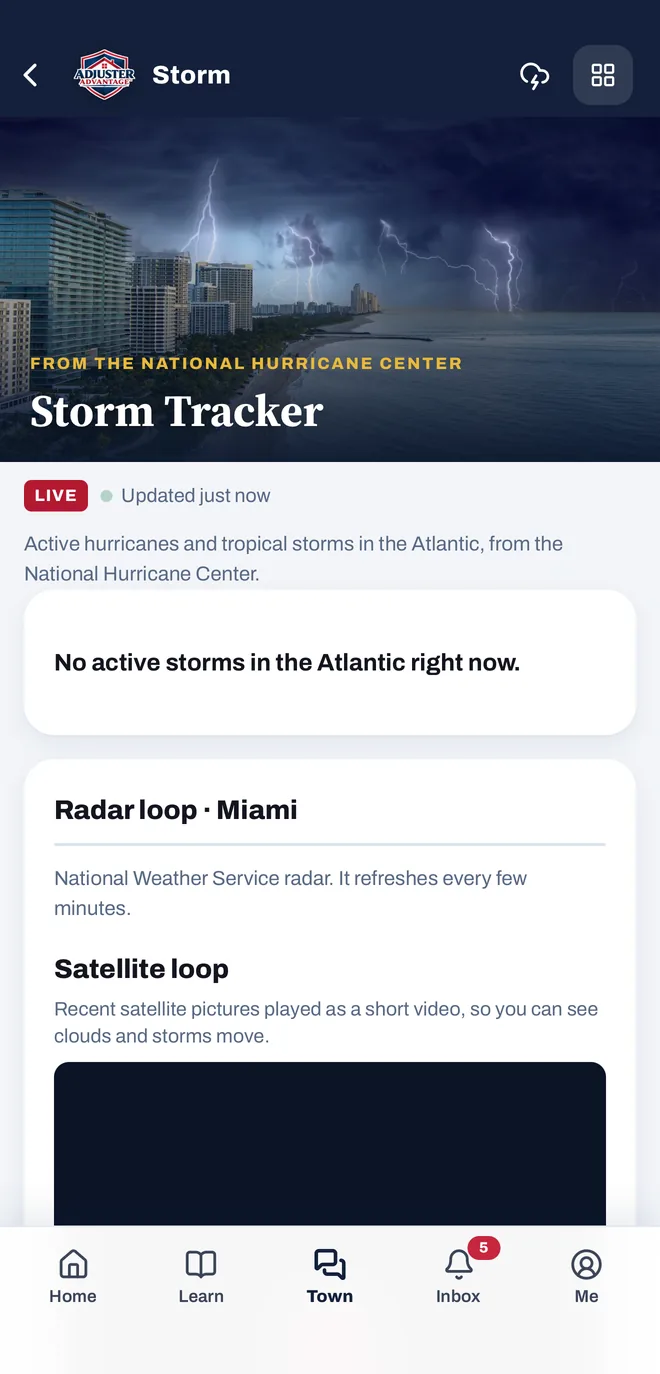
Watch the storm from the app.
Active Atlantic storms from the National Hurricane Center and a live radar loop.
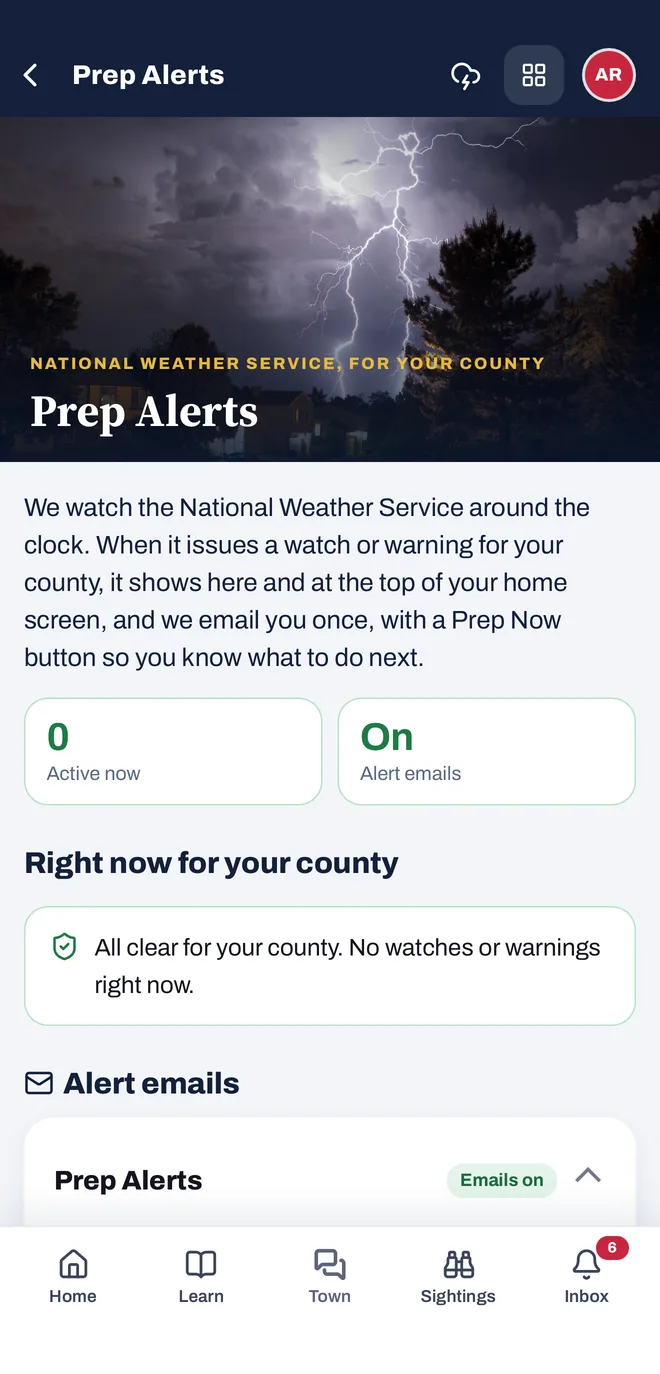
Weather alerts for your county.
The app watches the National Weather Service around the clock. When it issues a watch or warning for your county, it shows in the app and you get an email with a Prep Now button. Always follow official alerts.
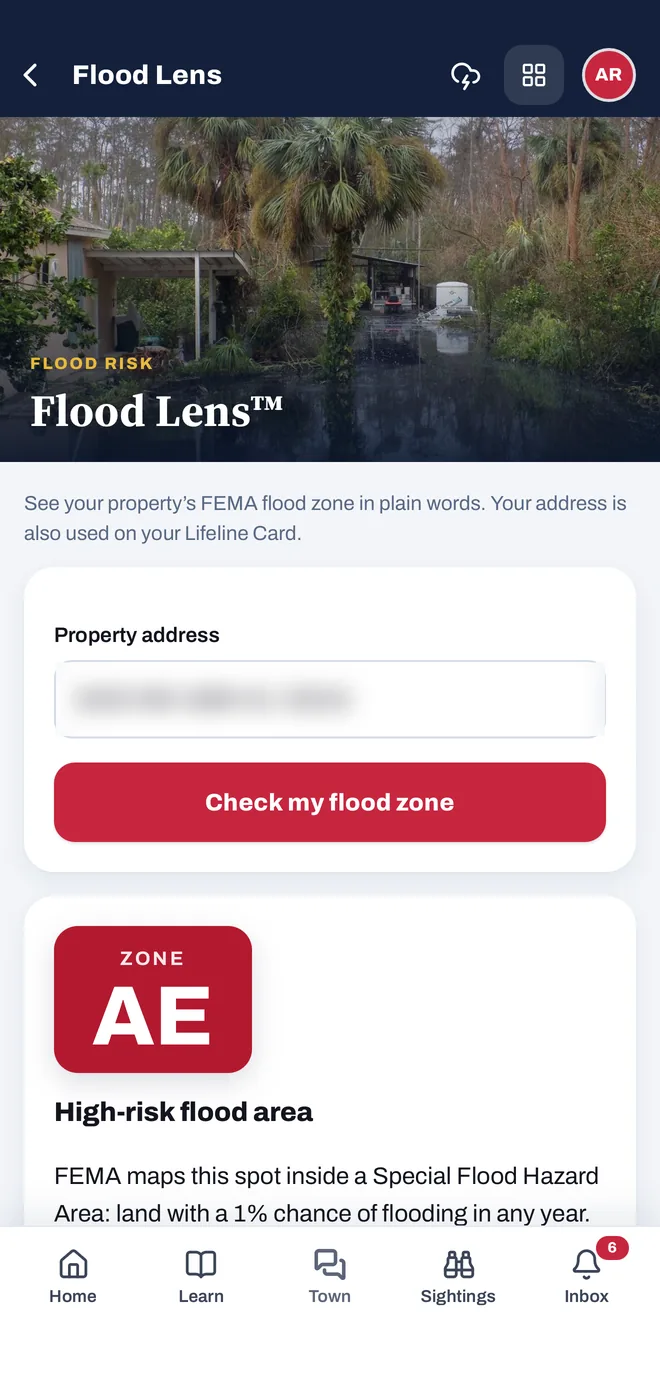
Your flood zone, in plain words.
Enter your address and Flood Lens shows your property’s FEMA flood zone and what it means.
A checklist built around your household.
Prep Kit builds a storm checklist around who lives with you. It saves as you go, works offline and prints as a PDF.
No more surprise renewals.
A countdown to each policy end date, with emails 90, 75, 60, 45, 30, 15, 7 and 1 days before, while you can still make changes.
Every tool, by what you need it for
Keep a home inventory and your wind mitigation, 4-point and roof certificates in one place, look up your FEMA flood zone, get your homeowners insurance policy reviewed in plain words, and follow hurricanes near you, all free.
Organize
Keep it all in one placeBaseline Report™FL & NJ
Free pre-loss walk-through with your PA.
Capture Now™Everywhere
Photograph your home before a storm.
Certificate Pack™Everywhere
Wind mitigation, 4-point and roof.
Home InventoryEverywhere
A room-by-room list of what you own.
Home Passport™Everywhere
Your home’s file, in one link.
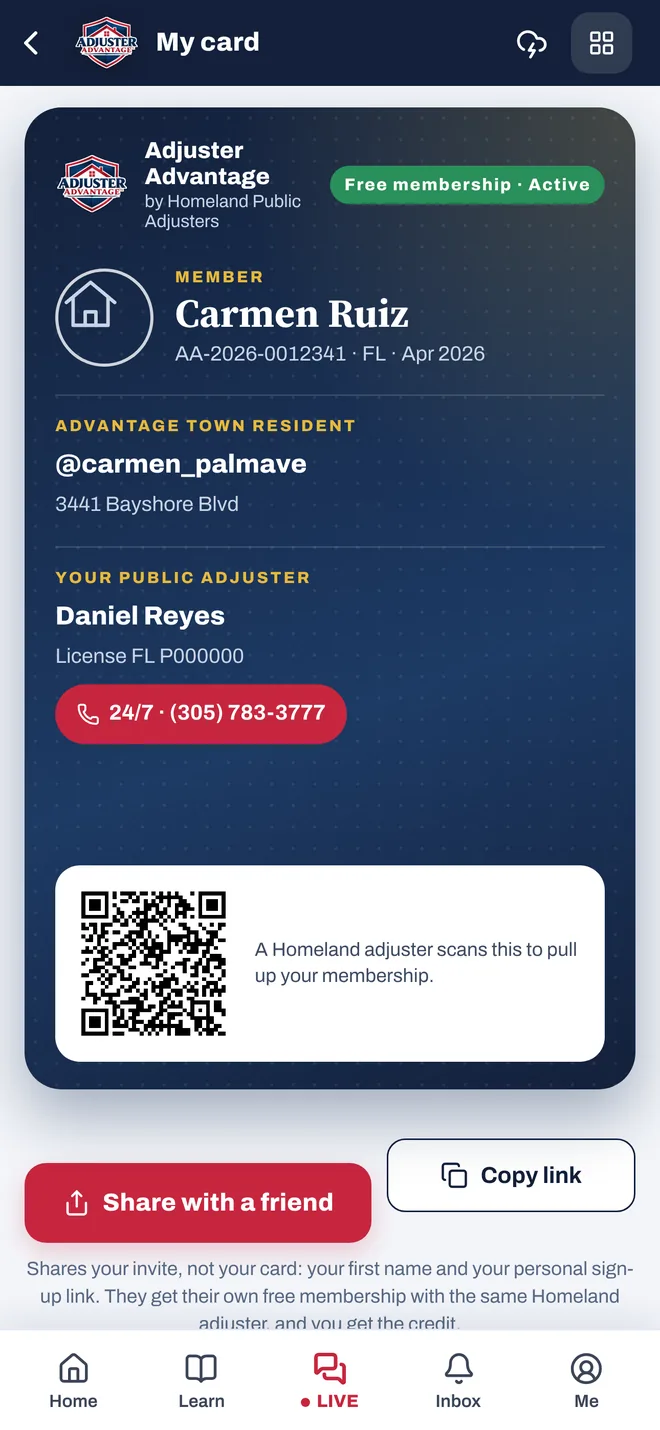
Lifeline Card™FL & NJ
Your emergency card for your phone.
Roof Passport™Everywhere
Your roof’s age, permit and inspections.
Safety Vault™Everywhere
Every policy, certificate and photo.
Share a FolderEverywhere
Send a view-only folder link.
Understand your policy
Know what you haveAsk Advantage™FL & NJ
Ask questions about your policy.
Coverage Talk™Everywhere
Insurance words in plain language.
Flood Lens™Everywhere
See your FEMA flood zone.
Insurer Watch™Everywhere
Your insurer’s numbers, from the state.
Policy Scan™FL & NJ
Your policy, scored and explained.
Renewal Radar™FL & NJ
What changed in your new policy.
Prepare
Get ready before it happensAway Mode™Everywhere
When the house sits empty.
Home MaintenanceFL & NJ
Small jobs that prevent damage.
Prep Kit™Everywhere
Your personal storm checklist.
Readiness CheckEverywhere
A quick quiz: how ready are you?.
ResourcesEverywhere
Official help lines and guides.
Shutoff Map™Everywhere
Where to turn off water, power and gas.
Stay informed
Never miss a date or an alert90DAY XPlus™FL & NJ
Reminders before your policy renews.
Prep AlertsEverywhere
Weather alerts for your county.
Storm TrackerEverywhere
Hurricanes near you, from the NHC.
Town SightingsEverywhere
Live map of what residents are seeing.
After damage
What to do when something happensAfter a LossFL & NJ
The first 72 hours after a loss.
Contractor Check™Everywhere
Check a contractor before you sign.
Damage Guide™Everywhere
Had damage? Start here.
Emergency Now™Everywhere
What to do during a warning.
Photo CoachEverywhere
What else to photograph.
Recovery HubEverywhere
After a disaster, step by step.
Where to Get HelpOutside FL & NJ
Your state’s official help.
Availability varies by state. Tools marked FL & NJ are offered today only in Florida and New Jersey, where Homeland is licensed; tools marked Everywhere work in every state. Policy Scan and Coverage Talk give general, plain-language explanations: they are not legal advice or a coverage opinion, and your policy always governs. Prep Alerts are not a warning service; always follow official alerts.
Be ready before anything happens.
Free to join. One account for the website and the app. About a minute.
Joining Adjuster Advantage is free and does not create a contract or agreement with Homeland Public Adjusters for any claim. Public adjusting services require a separate written agreement. Adjuster Advantage is not insurance, not a warning service and not a claim filing. Follow official emergency instructions and call 911 in an emergency. Adjuster Advantage™ is a free app from Homeland Public Adjusters Corporation, a licensed public adjusting firm. FL agency license W818638 · NJ firm license 3003982360.